Onboarding is chaotic. Most companies are running it out of a Frankenstein tech stack: Slack, Notion, a spreadsheet, maybe Lattice workflows, maybe a Greenhouse export, and someone on the people team (often a team of one) holding it all together with reminders sent at 10pm.
Now AI has arrived, and every HR vendor has put it in their marketing copy. Most "AI for onboarding" guides respond the same way: five abstract use cases, a stock photo of a robot shaking hands with a person, a closing paragraph about "the future of work." They tell you what AI could do. They don't show you what AI actually does, or what your onboarding looks like with AI connected to it.
That's the gap this guide is going to close.
We're Camino. We built an onboarding tool that exposes a Model Context Protocol (MCP) server, which means an AI assistant like Claude or ChatGPT can read and act on your live onboarding data, and the real work happens from real people, not just bots. We have a clear perspective. We'll also be honest about the market, because there's a lot of "AI" in HR tech right now that is just a press release, and you deserve to know the difference before you pick a tool.
The AI-in-Onboarding Reality Check
Before we get practical, the numbers that frame the moment:
AI adoption in HR is real, and it's accelerating. AI use across HR tasks climbed from 19% in 2023 to 26% in 2024 to 43% in 2025. 92% of CHROs expect even deeper integration in 2026, and 67% of large organizations intend to use AI-assisted onboarding by year end. 53% of employees now encounter AI during their own onboarding. [3][4][5]
But the ROI story is brutal. Gartner's October 2025 survey found that 88% of HR leaders say their organizations have not realized significant business value from AI tools. Only 1 in 50 AI investments delivers transformational value. Only 1 in 5 delivers any measurable return. Gartner predicts more than 40% of agentic AI projects will be cancelled by end of 2027. [6][7][8]
Regulation is arriving too. Illinois HB 3773 went into effect January 1, 2026. Colorado's AI Act follows on June 30, 2026. The EU AI Act's high-risk provisions (which cover AI used in employment decisions) hit August 2, 2026, with fines up to €35M or 7% of global turnover. 19 of the 20 most populous US states have enacted AI laws that touch employment, and 57% of HR professionals in those states don't know the rules in their own state. [9][10][11][12]
And if you're at the stage where onboarding is actually breaking - most of our buyers hit this wall somewhere between 100 and 120 people, right when they're raising their next round and scaling hiring - the pressure to pick the right tool is real. One customer put it plainly: "Once you get to 120 as a company, that's where things start to break."
So: AI is real, the hype is louder than the reality, and the compliance landscape is getting serious. What follows is a practical guide to using AI for onboarding in a way that actually works, without buying the marketing-deck AI, and without tripping the regulator.
What AI Actually Means for Employee Onboarding
Here's the distinction nobody in the HR-tech sales deck wants to draw: most "AI" features in onboarding software are either (a) workflow automation rebranded or (b) a chatbot bolted on top of a help center. Neither is bad. But neither is what most people mean when they say "AI."
The clearer taxonomy, the one that matches what vendors actually ship:
1. Workflow automation: rule-based routing and triggering. Not AI. (If you defined the rules, it's automation.)
2. Document chatbots: retrieval from handbooks and policies. Useful. Not onboarding-specific.
3. Generative AI: drafting emails, writing welcome messages, summarizing meetings. Productive. Not autonomous.
4. AI assistants / copilots: you ask, they answer. Human stays in the loop for every action.
5. AI agents: you define a goal, the AI figures out how to get there and takes multiple actions along the way. [13]
"Agentic AI" is the 2026 industry term for #5, and every major HR vendor has a press release about it - Workday, Enboarder, Moveworks, Leena AI, Paradox, Deel, Donut, Rippling. [14][15][16][17] Gartner calls the pattern "agent washing" - vendors relabeling chatbots, RPA, and AI assistants as "agents" without actually giving them autonomy or real tool integration. [8]
You can tell the difference with one question: Can it take actions in my system, or can it only tell me things about my system?
If the answer is "take actions," what scope of actions? Can it complete a task, or only draft a reminder? Can it reassign work, or only flag that it's overdue? Can it build an onboarding program from scratch, or only suggest one you have to build yourself? The depth of write capability is the single best signal of how real the AI actually is.
The 5 Ways AI Is Changing Onboarding Today
This is the part where other guides give you "AI could personalize the experience" with no specifics. Instead, here are the five concrete categories where AI is doing real work in 2026, with named vendor examples for each.
1. Intelligent Workflow Automation
AI that routes work based on role, location, seniority, department, and adapts as state changes. This is where most onboarding AI lives today.
Honest take: This is the most mature category. It's also the one most frequently described as "AI" when it's really sophisticated automation. That's fine, sophisticated automation is valuable. Just don't pay an AI premium for it.
2. Conversational AI Assistants (for New Hires and Operators)
Chat and voice interfaces that answer questions in natural language, grounded in the company's docs, policies, and increasingly, live data.
• BambooHR's "Ask BambooHR" pulls from handbooks, policies, and benefits data to answer employee FAQs. [19]
• Moveworks and Leena AI run enterprise AI assistants that answer HR questions and execute transactions across systems like Workday, Okta, and Jira. [15][17]
• Paradox's Olivia handles offer letters, I-9, background checks, and first-day prep conversationally via SMS/email in 100+ languages. [16]
• Camino ships an in-Slack AI assistant (@Camino) that handles the same set of capabilities exposed through its MCP server: completing tasks, assigning roles, sending reminders that come from real people (not bots), and answering "what's going on with Sarah's onboarding?" [1][2]
Honest take: A chatbot that can only answer is a help system with a better interface. A chat experience that can also do things - assign a buddy, schedule a meeting, reassign a task - is meaningfully more useful.
3. Program Design and Journey Generation
AI that builds onboarding paths, journeys, or checklists from a plain-English description.
• Enboarder's "PowerfulAI" generates tailored onboarding journeys "for any role in seconds." [20]
• Donut's AI Onboarding Agent turns goals and documents into a draft Slack Journey (tasks, polls, reminders) that teams review and finalize. [21]
• Camino + Claude lets a People Ops leader describe an entire onboarding program — paths, tasks, emails, Slack messages, meeting templates, with triggers and roles — and Claude builds it end-to-end via MCP tool calls like create_path, create_task_template, create_email_template, create_message_template, create_meeting_template. [1]
Honest take: This is the category with the widest gap between demo and reality. The AI-generated draft is always the starting point, never the finished product. That's fine, and it's still a huge time save. Just don't expect to skip the review.
4. Personalization and Adaptation
AI that tailors content, pacing, and nudges to the individual based on role, progress, and feedback.
• Enboarder's AI Agents adjust 30/60/90-day plans "based on behavior, feedback, and manager input." [20]
• Deel's Engage (built on the Zavvy acquisition) personalizes career development and performance coaching at $20/user/month. [22]
Honest take: Personalization is easier to claim than to prove. Ask to see it on a real new hire record in a demo, not a curated slide.
5. AI Orchestration via MCP (The 2026 Inflection)
This is the category that changes what AI in onboarding actually means.
The Model Context Protocol (MCP) is an open standard released by Anthropic in November 2024 that lets AI assistants connect directly to your company's tools and data. One server, any MCP-compatible AI client. By Q1 2026, MCP had 97 million monthly SDK downloads, 10,000–17,500 public servers, and native support in Claude Desktop, Claude Code, Claude Cowork, ChatGPT (Pro/Business/Enterprise, launched March 13, 2026), Gemini, Cursor, Microsoft Copilot, and VS Code. [23][24]
In HR specifically, only three vendors ship an actual MCP server as of April 2026:
• HiBob (beta): employees, time off, tasks: read and update. [25]
• Gusto: payroll schedules, employee records, headcount (7 tools). [26]
• Camino: ~40 tools covering journeys, tasks, paths, meetings, emails, Slack messages, templates, bulk reminders, and program design. [1][2]
Honest take: Categories 1–4 above are vendor-internal AI. Whatever AI "features" BambooHR or Rippling ship, you can only use inside their product. Category 5, MCP, is protocol-level. Your AI assistant of choice works with your onboarding platform, whatever that assistant is, now or two years from now. That changes the buyer decision.
The MCP Shift: Why 2026 Is Different
Here's why "MCP" keeps coming up in this guide.
Without MCP, an AI assistant is context-blind. Claude can write you a beautiful Monday welcome email. It cannot tell you that James, who starts Monday, doesn't have a buddy assigned, that his Slack account isn't connected, and that his manager is on PTO. To get that information to Claude, you'd have to paste it in, and then Claude still can't do anything about it.
With MCP, the same conversation changes:
You: "Good morning, Claude. Run the daily onboarding check-in."
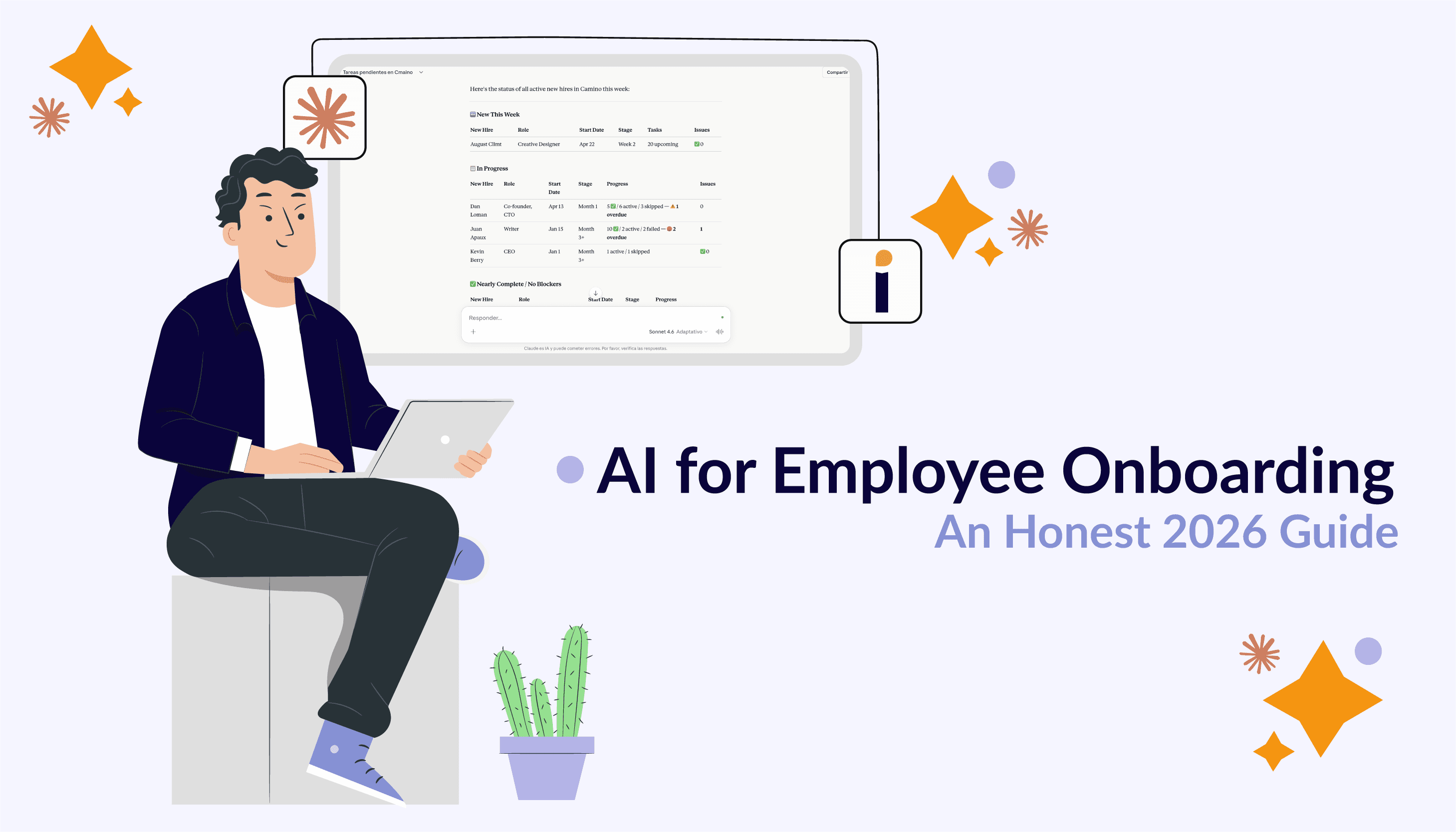
Claude (via Camino's MCP, calling list_journeys, list_tasks with is_overdue: true, and list_issues): "You have 14 active journeys. Critical: James Patel starts today but is missing a buddy and his Slack account isn't connected. Needs attention: 4 tasks are overdue more than 3 days — 2 belong to Priya's manager who was on PTO. Want me to assign a buddy to James, send a nudge to Priya's manager, and run readiness checks on next week's cohort?"
That's not a mockup. That's a real sequence of MCP tool calls Camino exposes today. [1]
The broader implication: your AI integration is no longer a vendor-specific bet. Adopting an MCP-compatible onboarding platform is a bet on the protocol, not on a specific AI vendor. The team that standardizes on Claude today can shift to ChatGPT next quarter without re-integrating anything.
For People teams, the practical effect is that AI stops being a feature buried in a portal and starts being an interface layer across your entire onboarding program - one you can drive from whatever AI tool you already use.
Comparison: AI Capabilities Across Onboarding and HR Vendors
Capability
Camino
HiBob
BambooHR
Rippling
Workday
Enboarder
Paradox
Moveworks
Leena AI
Deel
Donut
AI brand name
@Camino + MCP
Bob AI
Ask BambooHR
Rippling AI
Illuminate
PowerfulAI / Agents
Olivia
AI Assistant
Autonomous Agent
Deel Engage / IT
AI Onboarding Agent
Takes real actions (write)
Yes — ~40 tools
Yes — limited via MCP
No
Yes — IT provisioning
Partial (2026 rollout)
Yes — journey actions
Yes — onboarding forms
Yes — cross-system
Yes — cross-system
Yes — equipment, IT
Yes — Slack Journeys
Builds/edits onboarding programs
Yes — full program authoring via AI
No (tasks only)
No
No
No (HR agents in rollout)
Yes — generate journey
No
No
No
No
Partial — draft Journey
Onboarding-specific AI
Yes — the whole product
Partial — broader HRIS
Partial — broader HRIS
Partial — recruiting-first
Broader HR suite
Yes — journey platform
Yes — post-hire module
No — IT/HR service desk
No — general employee agent
Partial — via Engage
Yes — Slack-first
Ships an MCP server
Yes — write-capable, ~40 tools
Yes (beta) — read/update
No
No
No (MCP partner)
No
No
No
No
No
No
Works with Claude / ChatGPT / Gemini
Yes — any MCP client
Yes — via MCP beta
No — internal AI only
No — internal AI only
No — internal AI only
No
No
No
No
No
No
Human-in-the-loop / preview
Yes — preview on bulk sends
Varies
N/A
Limited
Limited
Yes
Yes
Limited
Limited
Yes
Yes
Audit trail for AI actions
Yes — permission-scoped, attributed
Role-based permissions
Limited
Yes
Yes
Yes
Yes
Yes
Yes
Yes
Limited
Best fit
Mid-market, Slack-first, AI-forward
HRIS + AI buyers
SMB-mid HRIS
Mid-market HRIS + IT
Enterprise HRIS
Mid-market journey-focused
Recruiting-heavy, high-volume
Enterprise IT+HR service desk
Enterprise agentic AI
Global payroll + HR
Slack teams, social onboarding
Sources: [1][18][19][14][27][20][16][15][17][22][21][25]
AI Onboarding in Practice: A Day-in-the-Life Walkthrough with Camino + Claude
Abstract use cases are easy to read past. Concrete ones aren't. Here's what actually changes when AI sits on top of a live onboarding tool through MCP.
Picture the scenario: a people team of one (maybe one-and-a-half, if the COO jumps in sometimes) at a growing, 100+ person company, fully remote, across time zones, with a Frankenstein tech stack held together by your personal attention. You've got six new hires in the pipeline and four already ramping. Here's what an AI-connected Monday through Friday looks like.
Monday Morning Stand-Up
You type: "Claude, run the daily onboarding check-in."
Claude runs Camino's pre-built daily-onboarding-checkin prompt. It calls list_journeys for active journeys, list_tasks with is_overdue: true, and list_issues. It comes back with a prioritized summary: critical, needs-attention, FYI, and suggested actions for each. [1]
What used to be 45 minutes of clicking through dashboards is now 90 seconds.
Kicking Off a New Hire's Journey
You type: "We just signed James Patel, he starts Monday, May 6. His manager is David Okonkwo. Add him to our Engineering path and make sure he's ready."
Claude finds David via list_users - who was auto-imported from your ATS - calls add_path_to_journey with the Engineering path, calls update_journey to set manager and start date, and then, importantly, calls check_journey_readiness. [1]
The readiness check is one of the more subtle pieces of engineering in the integration. Camino's MCP server instructs the AI model to always run the readiness check before activating a journey, and to never activate with missing required fields without explicit user confirmation. [1] That's the shape of real "human in the loop": not a disclaimer in a dashboard, a hard-coded gate in the tool interface.
Handling a Manager on PTO
You type: "Priya's manager is on PTO until Friday. Show me her overdue tasks that are assigned to him, and reassign them to me temporarily."
Claude calls list_tasks with the journey filter, assignee filter, and overdue flag. It enumerates the tasks, then loops assign_task with you as the new assignee. It reports back. [1]
This is the kind of task that takes 15 minutes in a traditional HRIS. It takes one sentence through MCP.
The Reminder Run (The Subtle One)
You type: "It's Wednesday. Send a consolidated Slack reminder to every assignee with overdue tasks - but send them from my Slack account, not from the Camino bot. Preview first."
Claude calls send_bulk_task_reminder with two specific parameters: send_as_self: true and preview: true. Camino supports per-user Slack OAuth, so reminders can come from the actual operator's Slack account instead of a bot, dramatically more effective at getting managers to read and act. Preview mode means you see the grouped preview of what will send before anything ships. You approve, Claude re-runs without preview. [1]
This is the part where "AI agent" stops being a buzzword: the agent proposes, the human approves, the system executes - with a clear audit trail.
Designing a Program From Scratch
You type: "I want a Senior Engineering onboarding program. Six weeks. Week 1: laptop setup, GitHub access, AWS access, a 1:1 with their manager on day 1, a team intro meeting, and a welcome Slack from the CTO on day 3. Week 2: pair programming with the buddy, a skip-level 1:1 on day 8. Week 6: review meeting with the manager. Build it and attach it as a path."
Claude calls create_path, then iterates through create_task_template, create_email_template, create_message_template, and create_meeting_template - setting roles (buddy, manager, skip-level), triggers (days offset from start date), durations, and preferred time slots. It reports back with a summary. [1]
In any other onboarding platform, this is two days of admin work in a builder UI. In Camino through MCP, it's a conversation.
What AI Should NOT Replace in Onboarding
This is the section most AI guides skip because it doesn't sell software. We're writing it because skipping it is how you end up with a 88%-no-ROI problem.
Every credible source on AI in onboarding - SHRM, Gartner, HBR, AIHR - converges on the same conclusion: AI handles logistics, humans handle meaning. [4][28]
Keep a human in the loop on:
• The welcome. A message from the new hire's actual manager is worth ten generated paragraphs.
• The first conversation. The 1:1 where they hear "here's what success looks like for you in the first 90 days" from the person they'll be reporting to.
• Cultural context. An AI explaining your values is a contradiction in terms. Your people should do that.
• Mentorship and coaching. The buddy assignment can be AI-suggested. The relationship can't be AI-run.
• Feedback that matters. Performance, tenure, compensation - any decision that touches someone's career should be made by a person, reviewed by a person, and delivered by a person. This is also where the regulations kick hardest (EU AI Act's high-risk tier, Illinois HB 3773, Colorado SB 24-205). [9][10][11]
The AI-to-human handoff is where the best onboarding programs win. Use AI to make sure the human moments happen: nudge the manager when the 1:1 is unscheduled, remind the buddy when the pairing session hasn't been booked. Don't use AI to be the human moment.
31% of new hires already report a lack of human interaction during onboarding. [29] AI that makes this number worse will reduce retention, not improve it. AI that makes the human interactions more reliable will do the opposite.
How to Get Started: A 5-Step Rollout
You don't need a six-month change program or an "AI strategy" to start using AI in onboarding. You need one high-impact use case, a pilot, and the discipline to measure. If you're a people team of one at a fast-growing company, this is the way in.
Step 1: Audit Your Current Onboarding for Automation Opportunities
List every recurring task in your onboarding that you, the manager, or IT does manually. Circle the ones that (a) happen on every new hire, (b) are easy to describe, and (c) don't require judgment. Those are your first AI candidates. Typical winners: sending reminders, reassigning tasks when people go on PTO, checking readiness before activation, generating welcome drafts.
Step 2: Choose an AI-Capable Onboarding Platform (Decision Criteria)
Before buying anything, ask:
1. Does the AI take actions, or just answer questions? Read-only AI is a help system. Read-write AI is a platform.
2. Does it use your live data, or only pre-indexed docs? A chatbot that can only answer "what's our PTO policy?" is not onboarding-specific AI.
3. Is the AI locked to the vendor's portal, or protocol-accessible? MCP support, public APIs, open standards. A "coming soon" roadmap after 18 months of MCP being generally available is a red flag.
4. Can you audit what the AI did? Every AI write action should be attributed to a user, logged, and reviewable.
5. Can you gate it? Feature flags, permission scopes, preview modes, can you pilot with one champion before rolling company-wide?
6. Does pricing match value, or is it priced on usage? Consumption pricing can be honest, but it can also be a way to price AI without delivering outcomes. Know what you're buying.
Step 3: Start With One High-Impact Use Case
The use cases with the best pilot economics:
• Daily/weekly check-ins: AI summarizes the state of onboarding for you each morning. Replaces 45 minutes of clicking with 90 seconds of reading.
• Overdue-task reminder runs: AI identifies overdue tasks, groups them by assignee, and sends consolidated reminders. Preview mode first.
• Readiness checks and activation: AI walks you through required-field gaps before activating a journey. Prevents a Monday-morning fire drill.
• Meeting scheduling: AI finds time across new hire, manager, buddy, and skip-level. The scheduling coordination tax is real, and AI actually solves it.
Avoid leading with "AI-personalized content" or "AI performance predictions." These are the longest demo-to-deployment gaps in the category, and the most regulated.
Step 4: Connect Your AI Assistant via MCP
If your platform exposes an MCP server (as Camino does), this step is trivial. You generate an API token, point your AI client at the server's URL, and the AI can discover and call tools. Claude, ChatGPT, Cursor, Copilot - whichever you use.
If your platform doesn't expose MCP, this is where you decide how much vendor-internal AI is worth versus protocol-level flexibility. The cost of MCP later is usually a full replatform. The cost of MCP today is often just the right vendor choice.
Step 5: Measure Outcomes, Not Activity
Gartner found that only 7% of organizations provide guidelines for how AI-saved time should be reinvested. The other 93% save time on paper and never see the productivity gain. [8]
Outcomes to Track:
• Time-to-productivity: ramp time from day 1 to independently productive. This is the outcome, not the activity.
• 90-day retention: 20–22% of new hires leave within 90 days today. [29] Moving that number is the real KPI.
• Task completion rate: especially for the handful of tasks that predict a successful onboarding (buddy connected, Slack access working, first 1:1 held, benefits enrollment done).
• Manager engagement: do managers complete their onboarding tasks on time? If AI reminders are working, this goes up.
• Hours reclaimed by HR: and what that time got spent on. Be specific.
Don't track "prompts sent" or "tickets closed by AI." That's activity. It doesn't matter.
The Bottom Line
There's real AI fatigue out there right now. People ops leaders are tired of hearing "AI will transform your function" from every vendor, every newsletter, every LinkedIn post, while the actual tools fail to meaningfully help them do their jobs better. We hear that. We feel it too.
So here's the bar we think AI in onboarding should clear: it should make your onboarding consistent, automated, and human. Consistent so every new hire gets the same experience, not whatever their manager remembered to send. Automated so your team of one isn't chasing managers at 10pm. Human so the welcome, the buddy intro, the first 1:1 - the moments that actually matter - come from real people on your team, not a generic bot.
Most "AI for onboarding" is one of three things: workflow automation rebranded, a chatbot bolted on top of a help center, or a roadmap slide. None of those are bad. None of those clear the bar.
Real AI in onboarding in 2026 does one thing the marketing-era AI didn't: it acts. It completes the task, reassigns the work, schedules the meeting, sends the reminder, builds the program. It operates through a protocol (MCP) that works with whatever AI assistant you already use, not whatever AI the vendor built into their portal.
Camino is purpose-built for this. We're the deepest write-capable MCP integration in the onboarding category, with ~40 tools exposed to any AI client and an in-Slack AI assistant running the same logic. We built the guardrails in: permission scoping so AI inherits your access, preview modes on bulk sends so humans approve before the AI acts, readiness checks that gate activation, and audit trails that attribute every AI action to a real person. And we built it around messages from real people - your managers, your buddies - so "personalization at scale" isn't a pitch, it's what actually happens in Slack. [1][2]
If onboarding is how your culture shows up on day one, AI shouldn't replace that. It should make sure it happens, reliably, for every new hire, without your people team working nights.
See Camino + Claude in action
Book a demo and we'll walk through what onboarding looks like when your AI assistant can actually run the program — with messages coming from real people, not bots.
Sources
1. Camino MCP integration (April 2026). 2. Camino documentation 3. Yomly — 50+ Employee Onboarding Statistics 2026. 4. SHRM State of AI in HR 2026 Report. 5. Phenom — 15 Onboarding Trends for 2026. 6. Gartner — 88% of HR Leaders Say No Significant Business Value from AI (Oct 2025). 7. HR Executive — Gartner/Phenom AI ROI Problem. 8. Gartner — 40%+ of Agentic AI Projects Will Be Canceled by 2027. 9. Seyfarth Shaw — AI Legal Roundup (Colorado, California, Illinois). 10. Ogletree — Illinois Draft Notice Rules on AI in Employment. 11. Crowell & Moring — AI and HR in the EU: 2026 Legal Overview. 12. SHRM — AI Bias Audits Are Coming. 13. HR Executive — From Copilots to Superagents: HR's 2026 Shift. 14. Rippling — Platform AI. 15. Moveworks — Automated Employee Onboarding. 16. Paradox — Post-Hire Onboarding. 17. Leena AI — Autonomous Agent. 18. HiBob — Onboarding Features. 19. BambooHR — Ask BambooHR. 20. Enboarder — AI-Native Onboarding. 21. Donut — Agentic AI and the Future of Onboarding. 22. Deel — Deel Acquires Zavvy. 23. MCP Manager — MCP Adoption Statistics 2026. 24. Truthifi — MCP Connection Guide: Claude, ChatGPT & AI Tools (2026). 25. HiBob — MCP Beta. 26. Gusto — Gusto MCP Integration. 27. Workday — Illuminate Expands with New AI Agents (Sept 2025). 28. AIHR — AI in Employee Onboarding: 8 Practical Use Cases. 29. Enboarder — 2026 Onboarding and Retention. 30. NYC DCWP — Automated Employment Decision Tools. 31. EU AI Act — Annex III: High-Risk AI Systems. 32. AIHR — 27+ Employee Onboarding Statistics (Brandon Hall Group data). 33. Allied OneSource — The Silent Killer of Workforce ROI.